New Free tools for your fleet: check sheets, trackers and calculators. No sign up. See the free tools →
Free download

Free vehicle fuel log

Record every fill and see how much fuel each vehicle really uses. Choose the Excel version that does the sums for you, or print the paper sheet.
Download free ExcelDownload free PDF Or try the online fuel calculator Excel 48 KB; PDF 31 KB. No sign up needed.
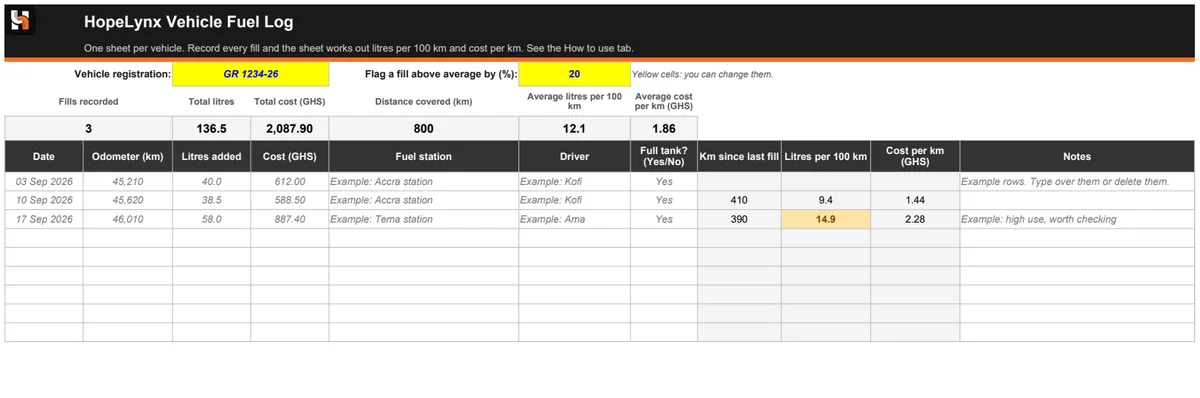
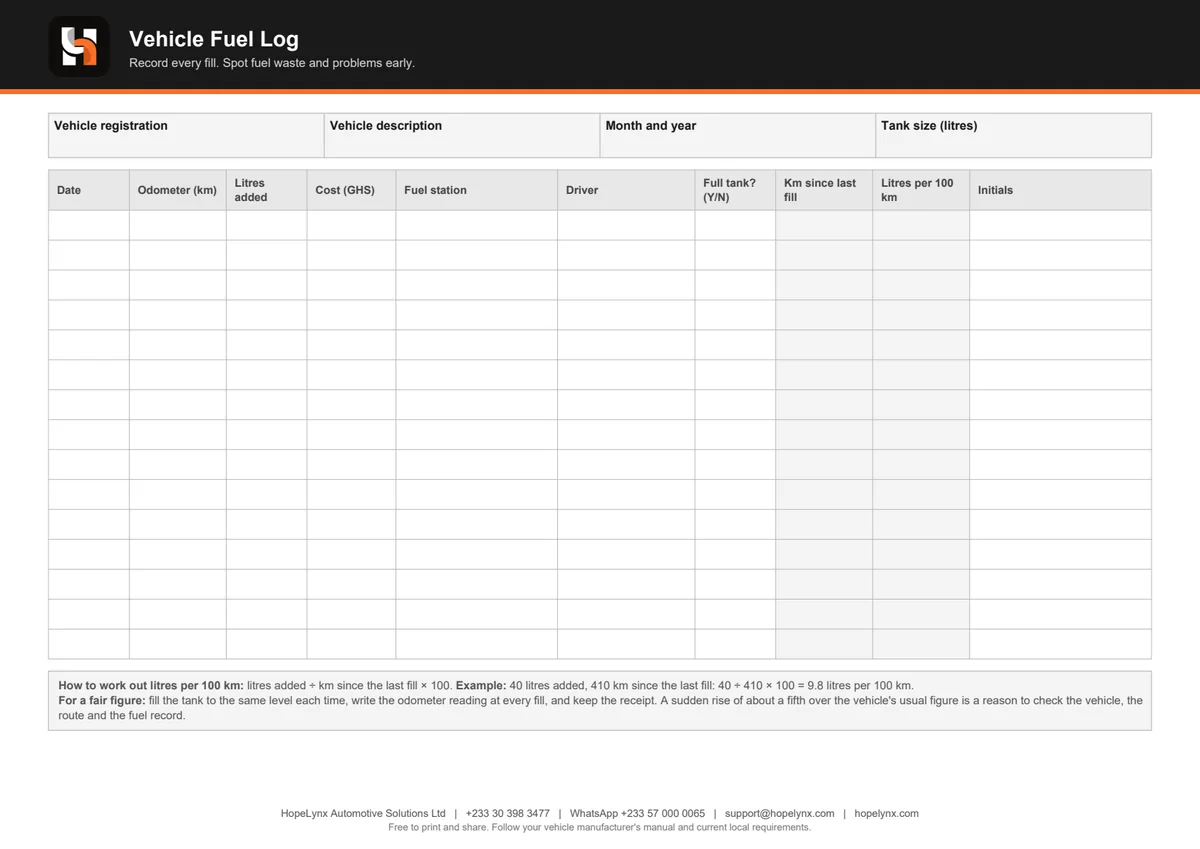
Preview of the HopeLynx fuel log in Excel with litres per 100 km worked out and a high use fill highlighted in amber Preview of the printable HopeLynx fuel log sheet

Preview. Click to enlarge.

What is inside

  • ✓ Excel version: space for 200 fills per vehicle, with km since the last fill, litres per 100 km and cost per km worked out for you
  • ✓ Totals and averages at the top, and any fill well above the vehicle's average highlighted in amber (you set the percentage)
  • ✓ Columns for date, odometer, litres, cost, fuel station, driver and whether the tank was full, plus a How to use tab
  • ✓ PDF version: a printable A4 sheet with 15 lines, the same columns and the working out explained underneath

How to use it

  1. Use one log for each vehicle.
  2. Fill the tank to the same level every time, and write the odometer reading at each fill.
  3. Enter the date, litres, cost, station and driver, and keep the receipt.
  4. Check the litres per 100 km figure, and look into any fill that is far above the vehicle's usual number.

Why it matters

Fuel is one of the biggest running costs of any fleet, and one of the easiest to lose track of. A simple record of every fill, matched to distance, shows which vehicles use more than they should and gives you facts to start a conversation with the driver or the workshop. Our article on reducing fuel losses explains what to look for.

Need more than this?

This free download covers the basics. A log depends on drivers writing every fill honestly, and it only shows what happened after the fact. If you want more, we can help with:

  • ✓ Fuel monitoring sensors that show the tank level over time
  • ✓ Vehicle tracking, so fuel use can be matched to trips
  • ✓ Alerts when something looks wrong

Questions about this download

How is litres per 100 km worked out?

Litres added divided by the km driven since the last fill, times 100. For example, 40 litres over 410 km is 9.8 litres per 100 km.

Why must the tank be filled each time?

The figure is only fair when the tank is filled to the same level each time, so the litres added match the distance driven since the last fill.

What does the amber warning mean?

It marks a fill that uses much more than the vehicle's average, by the percentage you set. It is a prompt to check the vehicle, the route and the record, not proof of a problem.

Is it free, and is my data shared?

It is free to download, print and share. The Excel file stays on your computer, and nothing you type is sent to us.

Can fuel be tracked automatically?

Yes, with fuel monitoring sensors. HopeLynx supplies and installs vehicle tracking devices with fuel monitoring add-ons. Get in touch to find out more.

More from HopeLynx

Want fuel tracked automatically?

Add fuel monitoring to vehicle tracking and see fuel use alongside every trip.

Call usWhatsApp